

Check and update a vehicle
- Open Vehicles and search using the VIN, registration or vehicle number.
- Open the matching record and confirm the VIN and model before acting.
- Review the overview, registration, in-service date and mileage. Coverage and service eligibility use these facts, so a missing date or mileage can leave an incomplete picture.
- Review Warranty coverage, Service schedule, Recalls and the claims you are allowed to see.
- Follow an existing claim or service-record link to continue its work.
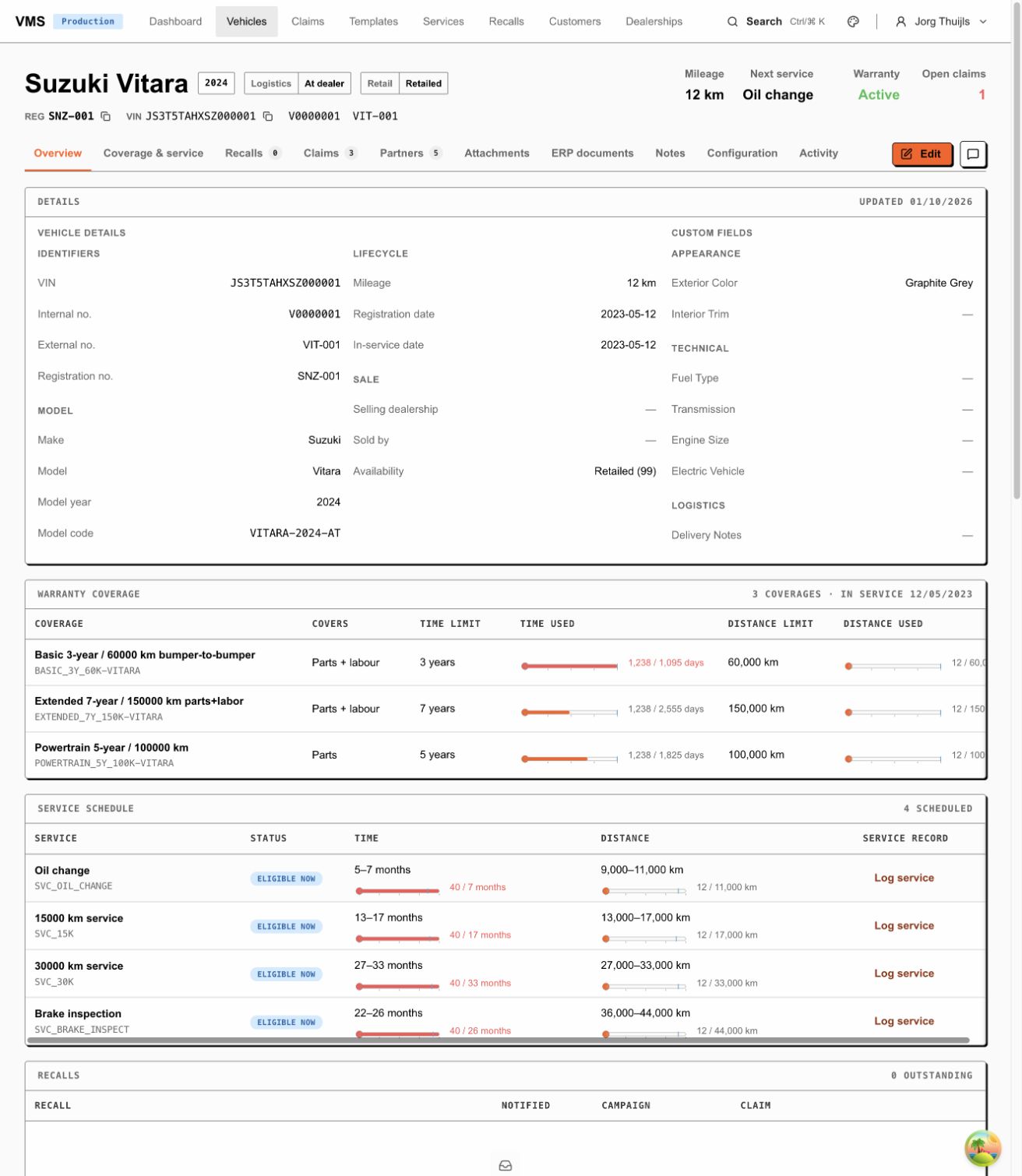
The vehicle header identifies the asset and its workflow tracks. The overview contains the dates, mileage and model facts used by other parts of Fleetlane.
The record can also contain business partners, notes, attachments, build configuration, ERP document references and activity. Your permissions determine which sections and values appear. A vehicle’s claim list does not grant access to claims outside your dealership scope.
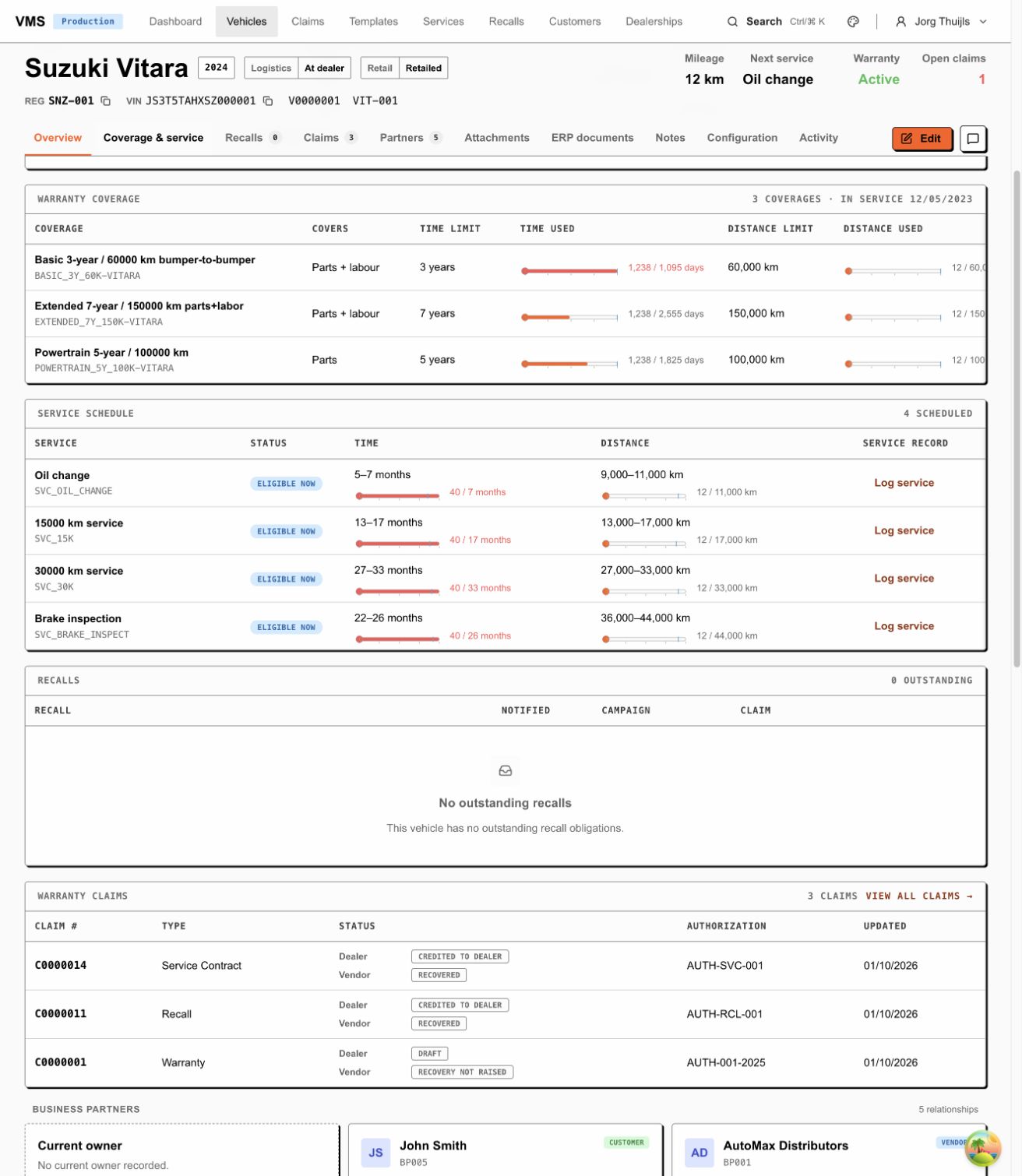
Use Coverage & service to reach the warranty limits and schedule. Read time and distance together; a service’s displayed eligibility still needs context.
Save a correction
Section titled “Save a correction”Choose Edit when available. Change the permitted values and save. If the form reports an error, correct the named field and try again. If the record was changed by someone else, reload it and compare the current values before saving again; preserve the other person’s work.
Changing business details and running a workflow action are separate tasks. Use the available action for a lifecycle change. While the record is processing, wait for the result before retrying a save or action.
Follow up work
Section titled “Follow up work”- Log an eligible service.
- Create or follow a recall claim.
- Raise a warranty claim.
- Read the coverage and configurator explanation.
Source review: 1 October 2026, based on VehiclesPage, VehicleDetailPage,
vehicle search and update services. The overview, coverage, schedule and existing
claim links were inspected in the local snz tenant on that date. No vehicle was
edited, and other roles’ field permissions remain to be exercised.